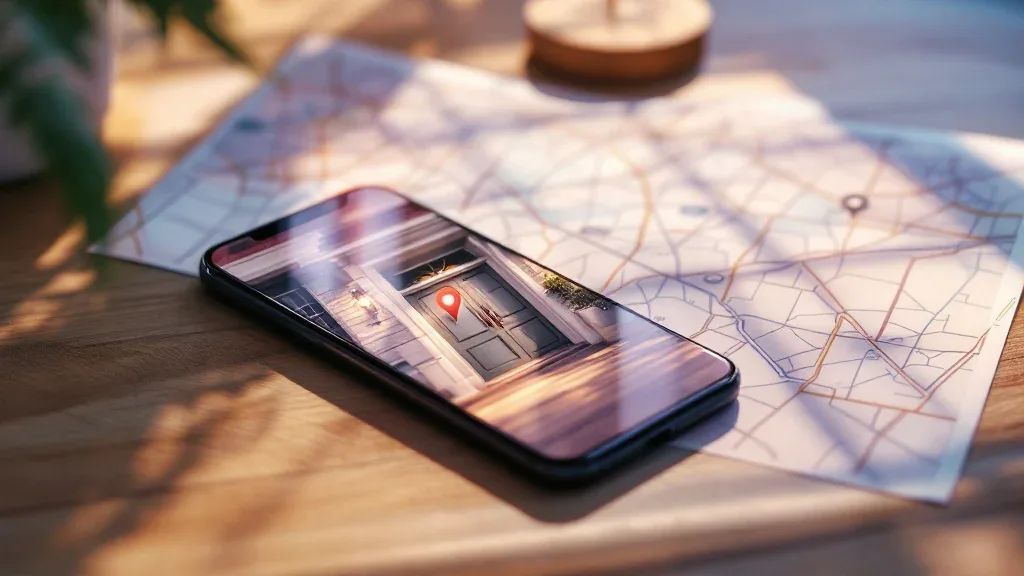
End-to-end encryption seals the channel; it does not edit the file. If your photo carries GPS coordinates, the person you sent it to has your coordinates.
Yes, sending a photo can reveal your location — even in a chat with full end-to-end encryption. Smartphone cameras write GPS coordinates, timestamps and device details into the photo file itself as EXIF metadata, and encryption seals the message that carries the file without editing the file. Whether those coordinates reach the person you sent it to depends on two things: whether your camera recorded them, and whether your app removed them before sending.
Key takeaways
- Does sending a photo reveal my location? It can — photos taken with location services on routinely carry GPS coordinates inside the file, and that data travels with the image unless something strips it.
- Does end-to-end encryption strip photo metadata? No. Encryption decides who can read the message; it does not modify the photo inside it, so the recipient decrypts the original file with its tags intact.
- The same app can strip metadata on one send path and preserve all of it on another. Sending a picture as a document or file is the path that most often keeps everything, GPS included.
- If an app strips EXIF before sending, it strips it for everyone, including the recipient. There is no keep-it-for-me setting in an ordinary photo send.
- The only reliable fix sits at the source: remove the metadata on your own device, then send.
What is EXIF data in a picture, and what does it actually contain?
EXIF — Exchangeable Image File Format — is a standard for storing information inside an image file, written by the camera rather than by you. Fastio's metadata guide describes it as the hidden data every smartphone photo carries, including GPS coordinates, and SammaPix treats EXIF as the layer of invisible detail sitting behind the picture you see.
In practice it holds the capture date and time, camera make and model, lens, ISO and shutter speed, exposure settings, image orientation and — when location services were on — GPS latitude and longitude. Some devices also record software versions, and a few camera apps write a device or lens serial number.
Two properties matter more than the list. First, EXIF is invisible in the picture: you see a birthday cake, while the file also contains a coordinate. Second, it travels with the file — copying, uploading, forwarding and re-downloading all preserve it unless a tool strips it. That is why a photo of your kitchen is a different privacy object from a photo of a stadium.
Does sending a photo reveal my location?
Yes, if two conditions line up: the photo still contains GPS tags, and the app you used did not remove them. Both are common. Location recording is on by default in many camera apps, and the app comparisons in the research disagree about which messengers strip metadata — which is itself the answer. You cannot assume stripping happened.
The details matter more than the headline. GPS in a photo is usually precise enough to identify a building rather than just a city. A photo taken at home and sent to one person can be forwarded, screenshotted, saved to a shared drive or posted publicly by that person, and the coordinates go along with it unless something strips them. The same photo taken at a beach says far less about you than one taken in your living room.
Two limits are worth stating in the same breath. If a photo carries no GPS tag, there is nothing to leak — a screenshot is generally a new file created by the operating system rather than by the camera, so it normally carries no camera GPS data, though that is a habit to verify rather than a guarantee. And EXIF is not the only signal: a timestamp plus a device model narrows things down even without coordinates.
Does end-to-end encryption strip photo metadata?
No. End-to-end encryption decides who can read a message in transit and at rest on the server; it does not edit the file inside the message. That distinction is the core of what end-to-end encryption does and does not protect.
Livara's direct messages use LVR1, a hybrid post-quantum double ratchet in which a P-256 ECDH ratchet and an ML-KEM-768 (NIST FIPS 203) epoch ratchet run side by side, with every message key derived from both. Group messages use LGS1 sender-key encryption, where each sender key is sealed inside pairwise LVR1 envelopes. Attachments are encrypted before upload under a fresh content key that travels inside that LVR1 or LGS1 message.
That is strong protection — and it protects the wrong thing for this question. The server and the network see ciphertext; the recipient decrypts the original file, EXIF and all. Encryption hides your photo from everyone in the middle and from the service. It does not hide your coordinates from the person you are talking to, or from anyone they forward the image to.
The limit, stated plainly: EXIF leakage is a recipient-side risk, not a network-side one. That makes it smaller than a public leak — but it is precisely the leak people assume encryption already handled, and it is not.
EXIF GPS metadata in chat apps: which ones strip it, and which keep it?
There is no reliable app-level answer, only path-level ones. A 2026 test of twelve messaging apps published by SammaPix found that some apps strip metadata publicly but retain it internally, others strip nothing at all, and at least one popular app has a mode that preserves GPS data entirely. A reference maintained by GeoTag.world covers how Instagram, WhatsApp, Telegram, Signal, email and AirDrop each handle EXIF and GPS when you share a photo, and Fastio's comparison splits the question into standard photo mode versus document mode for WhatsApp, Telegram and Signal.
Three patterns recur across those sources.
- Stripping is per-path, not per-app. The same messenger can strip on a normal photo send and preserve everything when the image goes as a file.
- Platforms can strip and keep. SammaPix reports that social platforms often remove metadata from what the public sees while retaining the original internally — a data-retention decision rather than a privacy guarantee.
- Failures cluster at the edges. SammaPix documents a case where a HEIC upload path failed to strip metadata as expected, so the claim that an app strips metadata is a claim about the common path, not every path.
The practical rule from the twelve questions to ask of any messenger applies here: test the app you actually use, with a photo you know contains GPS, and look at what arrives.
Why does sending a photo as a document keep everything?
Because document mode is designed to deliver the exact bytes you selected, unmodified. When you attach a picture as a photo, most apps re-encode it for size and orientation, and that re-encoding is often where metadata is dropped. When you attach the same picture as a file or document, the app treats it as an opaque blob to hand over intact — the same design choice that preserves quality and colour profiles also preserves coordinates.
SammaPix calls this the WhatsApp trap: the setting people reach for when they want a photo to keep its quality is the setting that keeps its location. The logic extends beyond messengers. Email attachments and file-sharing links carry the original file, and GeoTag.world's reference covers AirDrop as another route where the bytes can arrive exactly as they left.
So decide in the right order. If quality matters, strip the metadata first and then send the file. Sending first and worrying about metadata afterwards is the wrong sequence.
How to remove photo metadata before sending
Strip it on your own device, then send, then verify. Three layers of defence, in order of reliability.
1. Stop recording it. Turn off location access for your camera app — on Android and iOS this lives in the camera's location permission settings, and the exact menu names shift between OS versions. If the camera never writes a GPS tag, there is nothing to strip. The trade-off is real: you also lose location for your own photo library, which matters to anyone who likes a map of their travels.
2. Strip it after the fact. Browser-based tools that process the file locally, like the ones GeoTag.world publishes for removing GPS data, keep the image off any server — a claim worth checking against your own threat model. Desktop photo editors and file utilities can remove EXIF blocks too. Whichever you use, open the result in a metadata viewer and confirm the GPS block is gone; exported is not the same as stripped.
3. Check before you send. If your messenger shows a remove-location toggle when you attach a photo, use it — then confirm it applies to the path you chose. A toggle that works in photo mode may not exist in document mode.
One honest limit: stripping removes the metadata for you as well. Your own record of where a photo was taken goes with it, so keep an untouched copy in a private archive if you want the history, and send only the stripped version.
What does Livara do about metadata in encrypted chats?
Livara encrypts attachments; it does not claim to edit them. Every image, video or file you send in a direct or group chat is encrypted under a fresh random 32-byte content key before upload, and that key travels inside the LVR1 or LGS1 envelope, so the file is sealed end to end. Whatever is inside the file — including an EXIF GPS tag — is still inside it when your recipient opens it. Treat metadata hygiene as your job, not the app's.
Two related boundaries are worth knowing. Livara's broadcast channels are public by design and are not end-to-end encrypted, so that reported content can be actioned and abusive channels removed; never assume a photo posted to a channel is sealed, and strip metadata before posting anything there. And standard routing metadata — sender, destination and delivery timestamps — is stored to keep devices in sync, a separate question from EXIF that is covered in what messaging metadata still reveals.
If you want the specifics rather than the summary, Livara publishes its security boundaries and its threat model — who sees what — and the comparison page includes where Livara comes off worse. You can also check the Android APK against published SHA-256 checksums, locally and offline, so the app's integrity is checkable rather than trusted.
Frequently asked questions
Does sending a photo reveal my location?
It can. If your camera had location services on, the file can carry GPS coordinates precise enough to identify a building, and that data travels with the image unless something strips it. Whether it survives the trip depends on your app and how you attached the photo, so remove it yourself when location is sensitive.
Does end-to-end encryption remove EXIF data?
No. End-to-end encryption controls who can read the message; it does not modify the file inside it. Your recipient decrypts the original photo with its metadata intact. Encryption protects the image from the network and the service, not from the person you sent it to or anyone they forward it to.
How do I remove photo metadata before sending?
Turn off location access for your camera app so the tag is never written, then strip existing files with a local metadata tool and confirm in a viewer that the GPS block is gone. If your messenger offers a remove-location toggle, use it, but check that it applies to the send path you chose.
Why does sending a photo as a document keep the GPS data?
Because document mode is built to deliver the exact file you selected without re-encoding it. Photo mode usually resizes and recompresses the image, which is often where metadata is dropped. The same behaviour that preserves quality in document mode preserves coordinates, so strip metadata first and send the file second.
Can I check whether a photo has EXIF GPS data before I send it?
Yes. Open the image in a metadata viewer — many are free and browser-based, including the tools GeoTag.world publishes — and look for a GPS block listing latitude and longitude. If you find one, strip it before sending. If there is none, that file has no location to leak.